Visit Counter

Sunday, May 27, 2018

PRCR-1079 : FAILED TO START RESOURCE ORA.OC4J


[oracle@rac01 bin]$ ./crs_stat -t


Name           Type           Target    State     Host     
------------------------------------------------------------
ora.DATA.dg    ora....up.type ONLINE    ONLINE    rac01     
ora....ER.lsnr ora....er.type ONLINE    ONLINE    rac01     
ora....N1.lsnr ora....er.type ONLINE    ONLINE    rac02     
ora....N2.lsnr ora....er.type ONLINE    ONLINE    rac01     
ora....N3.lsnr ora....er.type ONLINE    ONLINE    rac01     
ora.asm        ora.asm.type   ONLINE    ONLINE    rac01     
ora.cvu        ora.cvu.type   ONLINE    ONLINE    rac01     
ora....network ora....rk.type ONLINE    ONLINE    rac01     
ora.oc4j       ora.oc4j.type  OFFLINE   OFFLINE             
ora.ons        ora.ons.type   ONLINE    ONLINE    rac01     
ora.orasoft.db ora....se.type OFFLINE   OFFLINE             
ora....SM1.asm application    ONLINE    ONLINE    rac01     
ora....01.lsnr application    ONLINE    ONLINE    rac01     
ora.rac01.ons  application    ONLINE    ONLINE    rac01     
ora.rac01.vip  ora....t1.type ONLINE    ONLINE    rac01     
ora....SM2.asm application    ONLINE    ONLINE    rac02     
ora....02.lsnr application    ONLINE    ONLINE    rac02     
ora.rac02.ons  application    ONLINE    ONLINE    rac02     
ora.rac02.vip  ora....t1.type ONLINE    ONLINE    rac02     
ora.scan1.vip  ora....ip.type ONLINE    ONLINE    rac02     
ora.scan2.vip  ora....ip.type ONLINE    ONLINE    rac01     
ora.scan3.vip  ora....ip.type ONLINE    ONLINE    rac01 

-- When tried to start it manually,
  
[oracle@rac01 bin]$ pwd
/ora/12.1.0/grid/bin


[oracle@rac01 bin]$ ./srvctl start oc4j -v
OC4J could not be started


PRCR-1079 : Failed to start resource ora.oc4j
CRS-2501: Resource 'ora.oc4j' is disabled


-- So I tried to enable it and start it manually as follows

[oracle@rac01 bin]$
[oracle@rac01 bin]$
[oracle@rac01 bin]$ ./srvctl enable  oc4j
[oracle@rac01 bin]$ ./srvctl start  oc4j -v
OC4J has been started

-- After that I tried to fix the issue with GSD as follows


[oracle@rac01 bin]$ ./crs_stat -t

Name           Type           Target    State     Host     
------------------------------------------------------------
ora.DATA.dg    ora....up.type ONLINE    ONLINE    rac01     
ora....ER.lsnr ora....er.type ONLINE    ONLINE    rac01     
ora....N1.lsnr ora....er.type ONLINE    ONLINE    rac02     
ora....N2.lsnr ora....er.type ONLINE    ONLINE    rac01     
ora....N3.lsnr ora....er.type ONLINE    ONLINE    rac01     
ora.asm        ora.asm.type   ONLINE    ONLINE    rac01     
ora.cvu        ora.cvu.type   ONLINE    ONLINE    rac01     
ora....network ora....rk.type ONLINE    ONLINE    rac01     
ora.oc4j       ora.oc4j.type  ONLINE    ONLINE    rac02     
ora.ons        ora.ons.type   ONLINE    ONLINE    rac01     
ora.orasoft.db ora....se.type OFFLINE   OFFLINE             
ora....SM1.asm application    ONLINE    ONLINE    rac01     
ora....01.lsnr application    ONLINE    ONLINE    rac01     
ora.rac01.ons  application    ONLINE    ONLINE    rac01     
ora.rac01.vip  ora....t1.type ONLINE    ONLINE    rac01     
ora....SM2.asm application    ONLINE    ONLINE    rac02     
ora....02.lsnr application    ONLINE    ONLINE    rac02     
ora.rac02.ons  application    ONLINE    ONLINE    rac02     
ora.rac02.vip  ora....t1.type ONLINE    ONLINE    rac02     
ora.scan1.vip  ora....ip.type ONLINE    ONLINE    rac02     
ora.scan2.vip  ora....ip.type ONLINE    ONLINE    rac01     
ora.scan3.vip  ora....ip.type ONLINE    ONLINE    rac01     
[oracle@rac01 bin]$


[oracle@rac01 bin]$ ./srvctl enable nodeapps -v
PRKO-2415 : VIP is already enabled on node(s): rac01,rac02
PRKO-2416 : Network resource is already enabled.
PRKO-2417 : ONS is already enabled on node(s): rac01,rac02

[oracle@rac01 bin]$ ./srvctl enable nodeapps
PRKO-2415 : VIP is already enabled on node(s): rac01,rac02
PRKO-2416 : Network resource is already enabled.
PRKO-2417 : ONS is already enabled on node(s): rac01,rac02

[oracle@rac01 bin]$ ./crs_stat -t


Name           Type           Target    State     Host     
------------------------------------------------------------
ora.DATA.dg    ora....up.type ONLINE    ONLINE    rac01     
ora....ER.lsnr ora....er.type ONLINE    ONLINE    rac01     
ora....N1.lsnr ora....er.type ONLINE    ONLINE    rac02     
ora....N2.lsnr ora....er.type ONLINE    ONLINE    rac01     
ora....N3.lsnr ora....er.type ONLINE    ONLINE    rac01     
ora.asm        ora.asm.type   ONLINE    ONLINE    rac01     
ora.cvu        ora.cvu.type   ONLINE    ONLINE    rac01     
ora....network ora....rk.type ONLINE    ONLINE    rac01     
ora.oc4j       ora.oc4j.type  ONLINE    ONLINE    rac02     
ora.ons        ora.ons.type   ONLINE    ONLINE    rac01     
ora.orasoft.db ora....se.type OFFLINE   OFFLINE             
ora....SM1.asm application    ONLINE    ONLINE    rac01     
ora....01.lsnr application    ONLINE    ONLINE    rac01     
ora.rac01.ons  application    ONLINE    ONLINE    rac01     
ora.rac01.vip  ora....t1.type ONLINE    ONLINE    rac01     
ora....SM2.asm application    ONLINE    ONLINE    rac02     
ora....02.lsnr application    ONLINE    ONLINE    rac02     
ora.rac02.ons  application    ONLINE    ONLINE    rac02     
ora.rac02.vip  ora....t1.type ONLINE    ONLINE    rac02     
ora.scan1.vip  ora....ip.type ONLINE    ONLINE    rac02     
ora.scan2.vip  ora....ip.type ONLINE    ONLINE    rac01     
ora.scan3.vip  ora....ip.type ONLINE    ONLINE    rac01     
[oracle@rac01 bin]$

Saturday, May 26, 2018

How to add new drives to a VirtualBox virtual machine (Oracle VM)


1. Open Oracle Virtual Box Manager
2. Select shutdown virtual machine like ( RAC01 VM)
3. Goto Setting option
4. Storage option select add hard disk
5. define name & size of disk.
6. reboot machine
7. Login as root


Run this command and make note of the sdx entries


[root@rac01 dev]# ls /dev/sd*


/dev/sda   /dev/sda2  /dev/sda4  /dev/sda6  /dev/sdb1  /dev/sdc1  /dev/sdd1
/dev/sda1  /dev/sda3  /dev/sda5  /dev/sdb   /dev/sdc   /dev/sdd   /dev/sde
[root@rac01 dev]#
[root@rac01 dev]#


Once rebooted you should see you have an unpartitioned hard-drive ready to go. To check this run from the terminal:


[root@rac01 dev]# fdisk -l

Disk /dev/sda: 161.1 GB, 161061273600 bytes
255 heads, 63 sectors/track, 19581 cylinders
Units = cylinders of 16065 * 512 = 8225280 bytes
Sector size (logical/physical): 512 bytes / 512 bytes
I/O size (minimum/optimal): 512 bytes / 512 bytes
Disk identifier: 0x000c50f9

   Device Boot      Start         End      Blocks   Id  System
/dev/sda1   *           1        3825    30720000   83  Linux
/dev/sda2            3825       15298    92160000   83  Linux
/dev/sda3           15298       16828    12288000   83  Linux
/dev/sda4           16828       19582    22117376    5  Extended
/dev/sda5           16829       18231    11264000   83  Linux
/dev/sda6           18231       19506    10240000   82  Linux swap / Solaris

Disk /dev/sdb: 53.7 GB, 53687091200 bytes
255 heads, 63 sectors/track, 6527 cylinders
Units = cylinders of 16065 * 512 = 8225280 bytes
Sector size (logical/physical): 512 bytes / 512 bytes
I/O size (minimum/optimal): 512 bytes / 512 bytes
Disk identifier: 0x639a1683

   Device Boot      Start         End      Blocks   Id  System
/dev/sdb1               1        6527    52428096   83  Linux

Disk /dev/sdc: 53.7 GB, 53687091200 bytes
255 heads, 63 sectors/track, 6527 cylinders
Units = cylinders of 16065 * 512 = 8225280 bytes
Sector size (logical/physical): 512 bytes / 512 bytes
I/O size (minimum/optimal): 512 bytes / 512 bytes
Disk identifier: 0x2735c183

   Device Boot      Start         End      Blocks   Id  System
/dev/sdc1               1        6527    52428096   83  Linux

Disk /dev/sdd: 53.7 GB, 53687091200 bytes
255 heads, 63 sectors/track, 6527 cylinders
Units = cylinders of 16065 * 512 = 8225280 bytes
Sector size (logical/physical): 512 bytes / 512 bytes
I/O size (minimum/optimal): 512 bytes / 512 bytes
Disk identifier: 0x1b50aafd

   Device Boot      Start         End      Blocks   Id  System
/dev/sdd1               1        6527    52428096   83  Linux

Disk /dev/sde: 107.4 GB, 107374182400 bytes
255 heads, 63 sectors/track, 13054 cylinders
Units = cylinders of 16065 * 512 = 8225280 bytes
Sector size (logical/physical): 512 bytes / 512 bytes
I/O size (minimum/optimal): 512 bytes / 512 bytes
Disk identifier: 0x00000000

Disk /dev/sde doesn't contain a valid partition table
[root@rac01 dev]#


To fix this we need to first partition the new drive.


[root@rac01 Desktop]# fdisk /dev/sde

Device contains neither a valid DOS partition table, nor Sun, SGI or OSF disklabel
Building a new DOS disklabel with disk identifier 0xc8f14ebc.
Changes will remain in memory only, until you decide to write them.
After that, of course, the previous content won't be recoverable.

Warning: invalid flag 0x0000 of partition table 4 will be corrected by w(rite)

WARNING: DOS-compatible mode is deprecated. It's strongly recommended to
         switch off the mode (command 'c') and change display units to
         sectors (command 'u').

Command (m for help): n
Command action
   e   extended
   p   primary partition (1-4)
p
Partition number (1-4): 1
First cylinder (1-13054, default 1):
Using default value 1
Last cylinder, +cylinders or +size{K,M,G} (1-13054, default 13054):
Using default value 13054

Command (m for help): w
The partition table has been altered!

Calling ioctl() to re-read partition table.
Syncing disks.
[root@rac01 Desktop]# fdisk -l

Disk /dev/sda: 161.1 GB, 161061273600 bytes
255 heads, 63 sectors/track, 19581 cylinders
Units = cylinders of 16065 * 512 = 8225280 bytes
Sector size (logical/physical): 512 bytes / 512 bytes
I/O size (minimum/optimal): 512 bytes / 512 bytes
Disk identifier: 0x000c50f9

   Device Boot      Start         End      Blocks   Id  System
/dev/sda1   *           1        3825    30720000   83  Linux
/dev/sda2            3825       15298    92160000   83  Linux
/dev/sda3           15298       16828    12288000   83  Linux
/dev/sda4           16828       19582    22117376    5  Extended
/dev/sda5           16829       18231    11264000   83  Linux
/dev/sda6           18231       19506    10240000   82  Linux swap / Solaris

Disk /dev/sdb: 53.7 GB, 53687091200 bytes
255 heads, 63 sectors/track, 6527 cylinders
Units = cylinders of 16065 * 512 = 8225280 bytes
Sector size (logical/physical): 512 bytes / 512 bytes
I/O size (minimum/optimal): 512 bytes / 512 bytes
Disk identifier: 0x639a1683

   Device Boot      Start         End      Blocks   Id  System
/dev/sdb1               1        6527    52428096   83  Linux

Disk /dev/sdc: 53.7 GB, 53687091200 bytes
255 heads, 63 sectors/track, 6527 cylinders
Units = cylinders of 16065 * 512 = 8225280 bytes
Sector size (logical/physical): 512 bytes / 512 bytes
I/O size (minimum/optimal): 512 bytes / 512 bytes
Disk identifier: 0x2735c183

   Device Boot      Start         End      Blocks   Id  System
/dev/sdc1               1        6527    52428096   83  Linux

Disk /dev/sdd: 53.7 GB, 53687091200 bytes
255 heads, 63 sectors/track, 6527 cylinders
Units = cylinders of 16065 * 512 = 8225280 bytes
Sector size (logical/physical): 512 bytes / 512 bytes
I/O size (minimum/optimal): 512 bytes / 512 bytes
Disk identifier: 0x1b50aafd

   Device Boot      Start         End      Blocks   Id  System
/dev/sdd1               1        6527    52428096   83  Linux

Disk /dev/sde: 107.4 GB, 107374182400 bytes
255 heads, 63 sectors/track, 13054 cylinders
Units = cylinders of 16065 * 512 = 8225280 bytes
Sector size (logical/physical): 512 bytes / 512 bytes
I/O size (minimum/optimal): 512 bytes / 512 bytes
Disk identifier: 0xc8f14ebc

   Device Boot      Start         End      Blocks   Id  System
/dev/sde1               1       13054   104856223+  83  Linux
[root@rac01 Desktop]# df -h
Filesystem            Size  Used Avail Use% Mounted on
/dev/sda1              29G  5.5G   22G  20% /
tmpfs                 1.9G  639M  1.3G  34% /dev/shm
/dev/sda5              11G  179M  9.9G   2% /opt
/dev/sda2              87G   22G   61G  26% /ora
/dev/sda3              12G  662M   11G   6% /tmp
122new                1.8T  1.2T  630G  66% /media/sf_122new
pack-RAC              1.8T  1.2T  630G  66% /media/sf_pack-RAC
/dev/sr0               62M   62M     0 100% /media/VBOXADDITIONS_4.3.6_91406


Good so we now have a partition at /dev/sde that we can now format with our chosen filesystem.
To do this run:


[root@rac01 Desktop]# mkfs -t ext4 /dev/sde
mke2fs 1.41.12 (17-May-2010)
/dev/sde is entire device, not just one partition!
Proceed anyway? (y,n) y
Filesystem label=
OS type: Linux
Block size=4096 (log=2)
Fragment size=4096 (log=2)
Stride=0 blocks, Stripe width=0 blocks
6553600 inodes, 26214400 blocks
1310720 blocks (5.00%) reserved for the super user
First data block=0
Maximum filesystem blocks=4294967296
800 block groups
32768 blocks per group, 32768 fragments per group
8192 inodes per group
Superblock backups stored on blocks:
32768, 98304, 163840, 229376, 294912, 819200, 884736, 1605632, 2654208,
4096000, 7962624, 11239424, 20480000, 23887872

Writing inode tables: done                       
Creating journal (32768 blocks): done
Writing superblocks and filesystem accounting information: done

This filesystem will be automatically checked every 38 mounts or
180 days, whichever comes first.  Use tune2fs -c or -i to override.
[root@rac01 Desktop]#


[root@rac01 Desktop]# df -h
Filesystem            Size  Used Avail Use% Mounted on
/dev/sda1              29G  5.5G   22G  20% /
tmpfs                 1.9G  639M  1.3G  34% /dev/shm
/dev/sda5              11G  179M  9.9G   2% /opt
/dev/sda2              87G   22G   61G  26% /ora
/dev/sda3              12G  662M   11G   6% /tmp
122new                1.8T  1.2T  630G  66% /media/sf_122new
pack-RAC              1.8T  1.2T  630G  66% /media/sf_pack-RAC
/dev/sr0               62M   62M     0 100% /media/VBOXADDITIONS_4.3.6_91406


Great, now all we need to do is mount our fresh filesystem. In my case I'm going to mount it at /home as I've already moved the original /home directory out of the way.


[root@rac01 Desktop]# mount /dev/sde /home

[root@rac01 Desktop]# df -h
Filesystem            Size  Used Avail Use% Mounted on
/dev/sda1              29G  5.5G   22G  20% /
tmpfs                 1.9G  639M  1.3G  34% /dev/shm
/dev/sda5              11G  179M  9.9G   2% /opt
/dev/sda2              87G   22G   61G  26% /ora
/dev/sda3              12G  662M   11G   6% /tmp
122new                1.8T  1.2T  630G  66% /media/sf_122new
pack-RAC              1.8T  1.2T  630G  66% /media/sf_pack-RAC
/dev/sr0               62M   62M     0 100% /media/VBOXADDITIONS_4.3.6_91406
/dev/sde               99G  188M   94G   1% /home


[root@rac01 Desktop]# cd /home
[root@rac01 home]# ls
lost+found


[root@rac01 home]# chown -R oracle:oinstall /home
[root@rac01 home]# df -h
Filesystem            Size  Used Avail Use% Mounted on
/dev/sda1              29G  5.5G   22G  20% /
tmpfs                 1.9G  639M  1.3G  34% /dev/shm
/dev/sda5              11G  179M  9.9G   2% /opt
/dev/sda2              87G   22G   61G  26% /ora
/dev/sda3              12G  662M   11G   6% /tmp
122new                1.8T  1.2T  630G  66% /media/sf_122new
pack-RAC              1.8T  1.2T  630G  66% /media/sf_pack-RAC
/dev/sr0               62M   62M     0 100% /media/VBOXADDITIONS_4.3.6_91406
/dev/sde               99G  188M   94G   1% /home


[root@rac01 home]#


Tuesday, April 3, 2018

Oracle E-Business Suite 12.2 Installation Error


This Issue because of, Rapidwiz is expecting a 32-bit version of the JDK, and the error occurs because the only version available is 64-bit.


Fix: 


Please follow below steps to fix the issue

Copy a 64-bit version of the JDK from any 12c Oracle Home. 
To resolve the issue test the following steps in a dev instance and then migrate accordingly:

1. Backup the existing JDK located in startCD/Disk1/rapidwiz/jre/Linux_x64/


2. Copy a 64 bit version of the JDK to a zip file from any 12c Oracle Database or Grid Home located in $ORACLE_HOME/ via the following command:
   $ zip -ryT 1.6.0.zip jdk


3. Move the zip file 1.6.0.zip (via scp or other) into startCD/Disk1/rapidwiz/jre/Linux_x64 


4. Unzip file 1.6.0.zip in directory startCD/Disk1/rapidwiz/jre/Linux_x64


5. Rename existing 1.6.0 to 1.6.0_old 


6. Retest Rapidwiz and confirm the error is resolved.


Thursday, February 22, 2018

Oracle Database 18c Release Info (Where is Database 13 to 17)

Where is Database 13 to 17?


If you are wondering where is Database version 13, 14, 15, 16 or 17 after 12c R2, then worth looking at My Oracle Support Note 2285040.1 Release Update Introduction and FAQ and Mike Dietrich’s Blog


Here is excerpt from 2285040.1 Beginning in 2018, a new numbering schema for the database software is implemented. Instead of a legacy nomenclature such as 12.2.0.2, a three (3) field format consisting of: Year.Update.Revision is used, such as 18.1.0. This allows clear indication of:
  • The feature release designation of the database software (the first field)
  • The quarterly Update (the second field)
  • The quarterly Revision (the third field)
If you are like me who wants to read documentation and learn concepts then you’ll enjoy

Future of Oracle DBA with Cloud & Autonomous Database

Another good blog that you as an Oracle DBA must follow is Tim Hall and if you are among DBAs/Apps DBAs worried about future of DBA/Apps DBA or worried about Autonomous so let me re-iterate what Tim rightly said Oracle Database 18c is not Autonomous and  here , there is nothing to worry about as DBA/Apps DBAs future (but Yes it will evolve and you as DBA will do more interesting stuff and learn new stuff)
Note: Autonomous Database as a cloud service will be based on Oracle Database 18c, is different then Oracle Database 18c is an Autonomous Database (I hope this clarifies some confusion)


Where Is Database 18c Available?

Oracle Database can be deployed at following places
1. On-Premise Commodity Servers with O.S. like Linux, Solaris, HP-Unix, Windows, IBM-AIX etc.
2. On-Premise Engineered Systems: Exadata, Oracle Database Appliance (ODA), Super Cluster and Mini Cluster
3. Oracle Public Cloud: DBaaS on DBCS, Exadata Cloud Service, Exadata Express Cloud Service
4. Oracle Cloud at Customer 

  •  If you refer to My Oracle Support (MOS) Note ID 742060.1 Release Schedule of Current Database Releases then as of Feb 2018, 18c Database is available only on On-Premise Exadata
  • Next for ODA, DBaaS/DBCS and Exadata Cloud Service, it will be released in Q1 of 2018
Note: As per Oracle Database Blog , 18c is available on Oracle Public Cloud too but I couldn’t find this on our Cloud Account nor this information on any other place.


Sunday, January 28, 2018

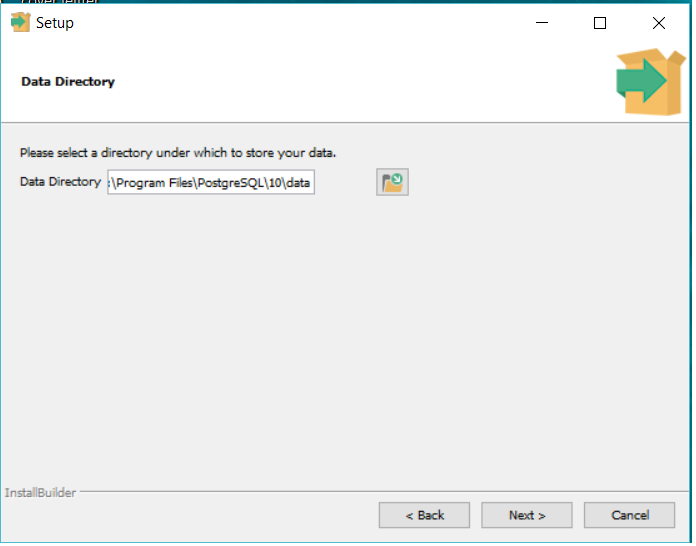
PostgreSQL installation on Windows 10


Installing POSTGRESQL DB on Windows 10

---------------------------------------------------

Download software from below link.

https://www.postgresql.org/download/


Wednesday, November 8, 2017

Oracle 12c Grid Installation Failed (SCAN name "rac01-scan" failed to resolve)


While installing Oracle 12c GI software...getting error


$ cat /ora/oracle/app/oraInventory/logs/installActions2014-11-08_08-36AM.log


NFO: ERROR:
INFO: PRVG-1101 : SCAN name "rac01-scan" failed to resolve
INFO: ERROR:
INFO: PRVF-4657 : Name resolution setup check for "rac01-scan" (IP address: 172.10.13.46) failed
INFO: ERROR:
INFO: PRVF-4657 : Name resolution setup check for "rac01-scan" (IP address: 172.10.13.47) failed
INFO: ERROR:
INFO: PRVF-4657 : Name resolution setup check for "rac01-scan" (IP address: 172.10.13.45) failed
INFO: ERROR:
INFO: PRVF-4664 : Found inconsistent name resolution entries for SCAN name "rac01-scan"


Skip above failure...just select next....finish


Verify that the cluster services are started properly on both nodes.

bash-4.1$ ./srvctl status nodeapps
VIP rac01-vip.localhost is enabled
VIP rac01-vip.localhost is running on node: rac01
VIP rac02-vip.localhost is enabled
VIP rac02-vip.localhost is running on node: rac02
Network is enabled
Network is running on node: rac01
Network is running on node: rac02
ONS is enabled
ONS daemon is running on node: rac01
ONS daemon is running on node: rac02
bash-4.1$


This concludes the 12c Grid infrastructure installation. Next step is an installation of database software and creating RAC database.


Tuesday, November 7, 2017

Oracleasm deletedisk diskname failed

[root@rac01 init.d]# oracleasm deletedisk ASMD1
Clearing disk header: failed
Unable to clear disk "ASMD1"
[root@rac01 init.d]# oracleasm deletedisk ASMD2
Clearing disk header: failed
Unable to clear disk "ASMD2"
[root@rac01 init.d]# oracleasm deletedisk ASMD2
Clearing disk header: failed
Unable to clear disk "ASMD2"


Solution Description
The issue is the disk header cannot be overwritten by the oracleasm command which is written by the previous commands. For this, you have to manually overwrite the header information by the OSdd command.


Step 1: find out the device information using blkid command.
[

[root@rac01 init.d]#
[root@rac01 init.d]# blkid | grep oracleasm
/dev/sdb1: LABEL="ASMD1" TYPE="oracleasm"
/dev/sdc1: LABEL="ASMD2" TYPE="oracleasm"
/dev/sdd1: LABEL="ASMD3" TYPE="oracleasm"
[root@rac01 init.d]#


Step 2: overwrite the header with null value using dd command. Or we can say clear the device header manually
[root@rac01 init.d]# dd if=dev/zero of=/dev/sdc1 bs=1024 count=100

100+0 records in
100+0 records out
102400 bytes (102 kB) copied, 0.0161951 s, 6.3 MB/s

[root@rac01 init.d]# dd if=dev/zero of=/dev/sdd1 bs=1024 count=100

[root@rac01 init.d]# dd if=dev/zero of=/dev/sdb1 bs=1024 count=100


Step 3: Sync the disk and delete the disk using oracleasm command
[dev]# /sbin/partprobe /dev/sdb1
[dev]# oracleasm deletedisk OCR_VOTE                           Disk "OCR_VOTE" defines an unmarked device


[root@rac01 init.d]# 


[root@rac01 init.d]# /etc/init.d/oracleasm deletedisk ASMD1
[root@rac01 init.d]# /etc/init.d/oracleasm deletedisk ASMD2
[root@rac01 init.d]# /etc/init.d/oracleasm deletedisk ASMD3


I checked the asm log

# cat /var/log/oracleasm

Unable to open device "/dev/sdb1": Device ot resource busy....

But when I create new ASM disk getting an error....so I restarted the virtual machine then ASM creation issue was resolved.


[root@localhost Desktop]# /etc/init.d/oracleasm createdisk Disk1 /dev/sda6

Marking disk "VOL1" as an ASM disk: [FAILED]